Loading your events…

Every event in your inbox, by the week.

Invites, newsletters and round-ups bury the good events. Mailroom reads your inbox read-only, pulls out every event, and lays them out by week on a calendar and a map, with filters for price, place and topic.

  1. 1

    Connect Gmail

    Read-only. Mailroom can never send, change or delete email.

  2. 2

    Every event, found

    Luma, Partiful, Eventbrite and the ones buried in newsletters.

  3. 3

    Your weeks, at a glance

    Gallery, calendar and map, kept up to date on its own.
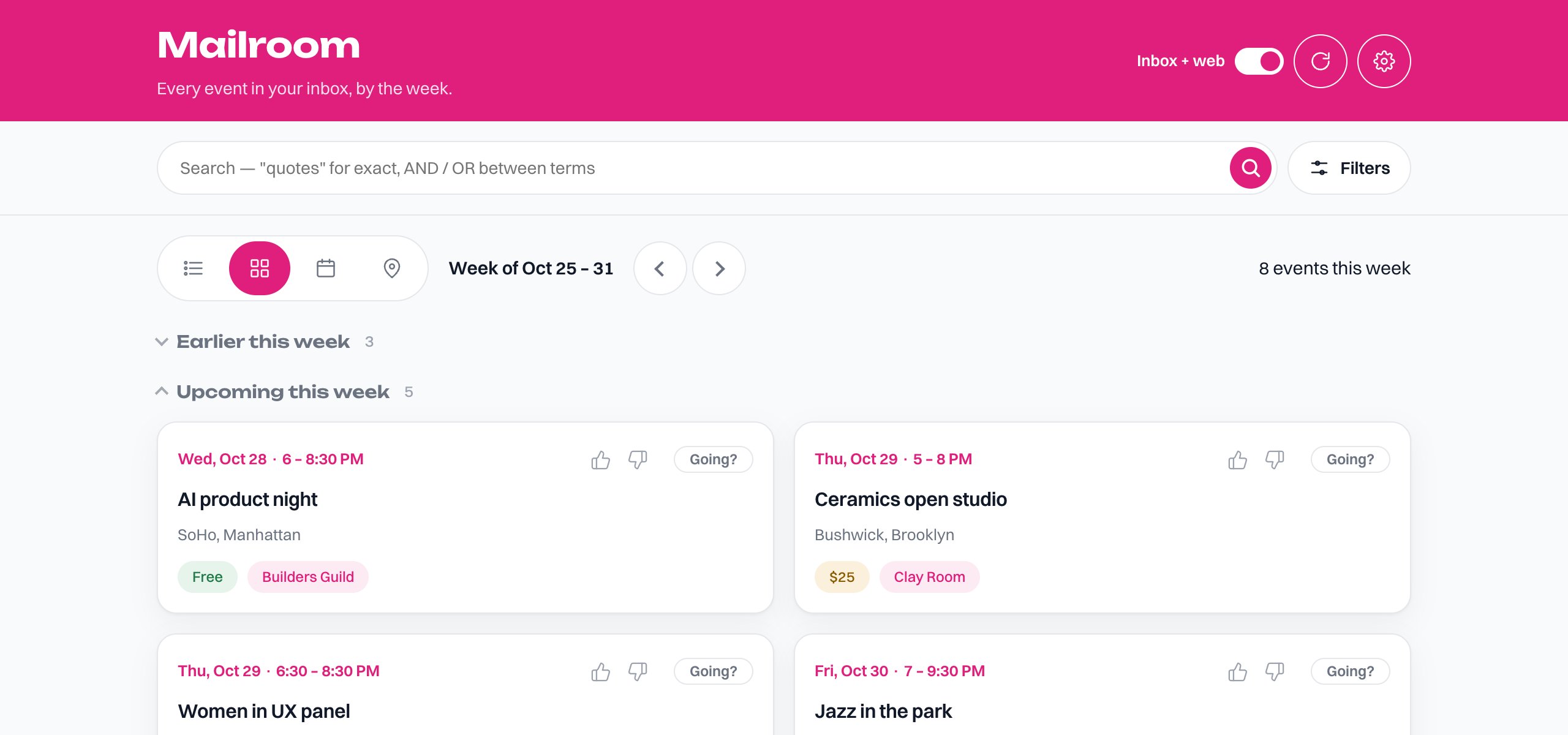
Mailroom's week view: event cards with dates, places, prices and hosts

Welcome to Mailroom

Three steps and your inbox starts turning into a calendar.

  1. 1

    Connect Gmail

    Read-only access, so Mailroom can find event invites and newsletters. It can never send, change, or delete your email.

  2. 2

    Add an AI key

    Mailroom uses your own AI key to read events out of email. Restrict the key's spend in your provider's dashboard first — it is encrypted and only ever used on the server.

  3. 3

    First scan

    Mailroom reads your inbox and fills in your weeks. After this it keeps up on its own.

    Waiting on the steps above